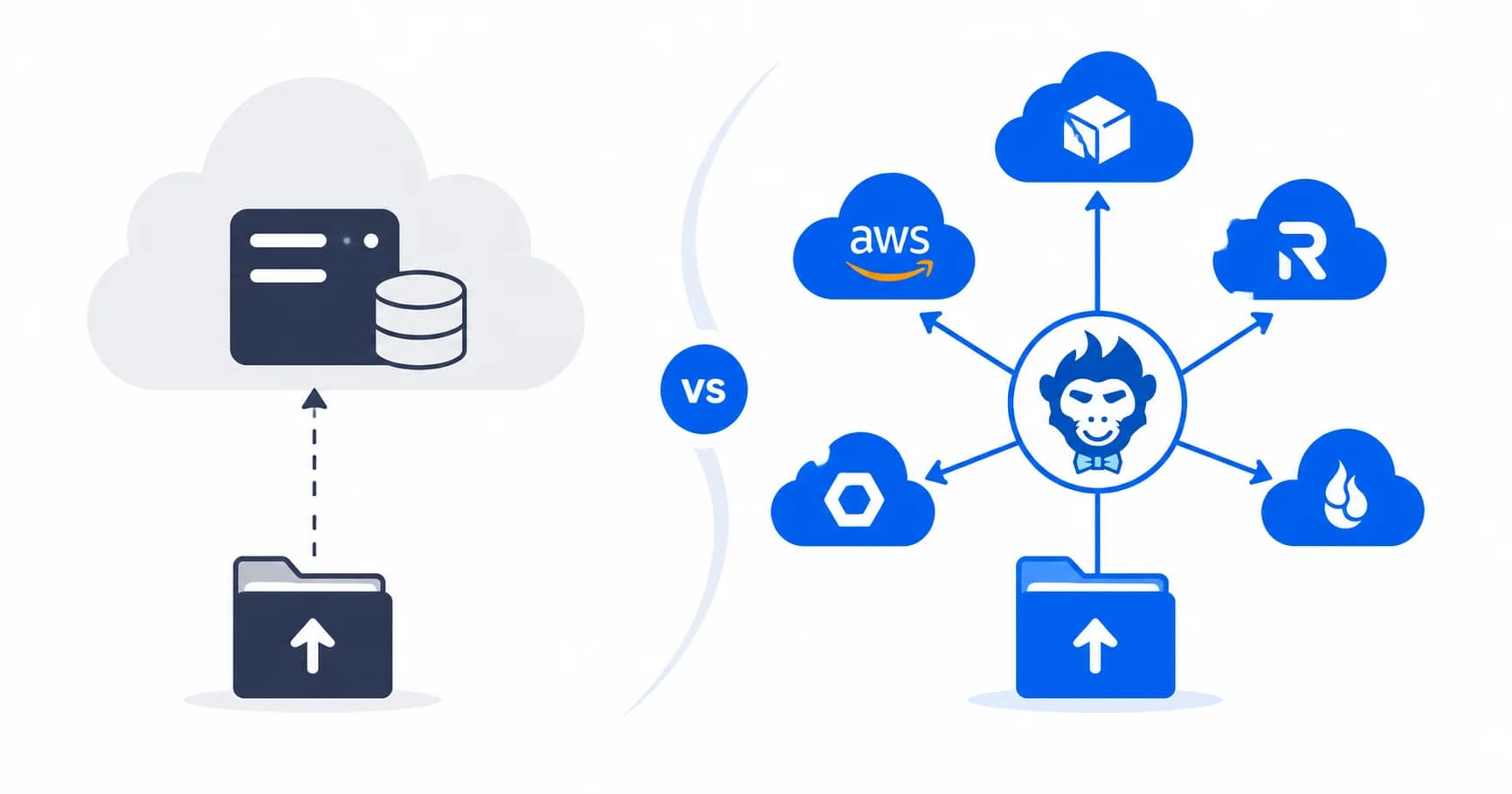
AWS Transfer Family runs about $216 to $223 a month per protocol just to keep the endpoint alive. That is before you transfer a single byte. AWS bills you hourly, non-stop, whether files are moving or sitting completely untouched. (If you want the full breakdown of how AWS stacks these charges, check out our detailed pricing guide.)
If you're an enterprise slinging terabytes around the clock, that base cost gets lost in the noise. But if you're running a smaller operation that just needs to ingest files from a handful of partners, cameras, or external vendors? It's easily one of the most expensive ways to solve the problem.
Why pay a monthly retainer for a pipe that sits empty 90% of the day?
Here are six alternatives that actually make sense for smaller teams in 2026, complete with verified pricing from each vendor. Full disclosure: we built Rilavek, so take our perspective with appropriate nuance. That said, numbers are numbers, and we've laid them out honestly below.
The Quick Comparison
| Option | Starting price | Pricing axis | Your storage or theirs? |
|---|---|---|---|
| AWS Transfer Family | ~$219/mo + $0.04/GB | Hours × protocols | Yours (AWS only) |
| Rilavek | Free (10GB/mo), then $10/mo | Bandwidth moved | Yours (any S3-compatible) |
| SFTPCloud | €39/mo | Users + instances | Theirs, BYOS available |
| SFTP Gateway (Thorn Tech) | $999/yr (~$83/mo) or ~$0.08/hr + EC2 | Instance software fee | Yours (self-hosted VM) |
| Files.com | $199/mo | Users + volume | Theirs |
| SFTP To Go | ~$50/mo | Tiered plans | Theirs |
| DIY (VPS + OpenSSH) | ~$5–20/mo | Server rental | Yours |
1. Rilavek: Pay for Bandwidth, Not Uptime
Rilavek acts as a pure pass-through bridge. External partners and remote devices connect via SFTP, FTPS, FTP, or resumable HTTP (tus). Files stream straight into your object storage in real time. You can plug in AWS S3, Cloudflare R2, Backblaze B2, Wasabi, MinIO, RustFS, IDrive e2, or any custom S3-compatible bucket. We store nothing at rest on our servers.
- Pricing: Free tier with 10GB/month (no credit card required). Starter runs $10/month for 512GB; Pro sits at $30/month for 2TB. We don't charge per-user fees, per-instance markups, or hourly meter rates.
- Where it wins: Bursty workloads where idle endpoints shouldn't cost money, multi-destination fan-out (upload once, push to two clouds at once), instant HMAC-signed webhooks, and adding sftp accounts without wrestling with AWS IAM policies.
- Where it doesn't: If you need an interactive file manager where users browse folders, preview images, or configure expiration rules, Rilavek isn't the right tool. It's built specifically as an ingestion pipe, not a cloud drive.
- Quick start: Create a free account to stream your first file into S3 without entering a credit card.
Fit: Engineering teams routing incoming files into object storage they already manage, IoT and camera fleets, and anyone tired of paying AWS a cover charge for idle infrastructure.
2. SFTPCloud: Instance-Based with Compliance Box-Checking
SFTPCloud provisions dedicated SFTP and FTP instances paired with an intuitive management UI. They've done substantial legwork around compliance standards like ISO 27001 and HIPAA-compliant setups.
- Pricing: Lite tier starts at €39/month (5 users, 1 instance, 10GB hosted storage). Startup is €49/month (15 users), Business is €99/month (50 users), and Business Pro hits €219/month (100 users). Scale up to Agency Pro at €799/month for 800 users. You can bring your own storage if preferred.
- Where it wins: Ready-made compliance documentation, simple admin interface, and turnkey hosted storage if you don't want to manage buckets.
- Where it doesn't: Pricing scales by user seats and instance counts rather than data volume. Have 100 low-activity devices uploading once a week? You'll get bumped up to the €219/month plan even if total data transfer is minimal. We broke down these differences in our SFTPCloud vs. Rilavek comparison.
Fit: Organizations with procurement teams requiring specific security certifications or businesses seeking a traditional hosted SFTP service with built-in storage.
3. SFTP Gateway (Thorn Technologies): Self-Hosted Middle Ground
SFTP Gateway is a Cloud Marketplace VM image that turns standard EC2, Azure, or GCP virtual machines into S3-backed SFTP endpoints.
- Pricing: Direct licensing starts at $999/year (~$83/month) for Standard (up to 10 users and 100GB/mo bandwidth limit) or $2,999/year (~$250/month) for Professional (up to 100 users). Hourly AWS Marketplace PAYG rates sit around $0.08/hour (~$58/month) for Standard and $0.15/hour (~$108/month) for Professional. Keep in mind: these software fees are on top of your underlying EC2 compute, EBS storage, and outbound network traffic.
- Where it wins: Everything runs inside your own cloud account. Once deployed, software fees are lower than AWS Transfer Family's baseline.
- Where it doesn't: You're operating a virtual machine. That means OS patching, capacity planning, uptime monitoring, and security hardening belong to you. User caps (10 users on Standard) and transfer limits also apply. All-in costs land around $100 to $300 a month once compute, bandwidth, and software licenses are combined, plus engineer hours spent maintaining the server. We explored this trade-off further in our build vs. buy analysis.
Fit: Cloud engineers who insist on keeping all traffic inside their own VPC and are comfortable maintaining virtual server infrastructure.
4. Files.com: Full-Featured Enterprise MFT
Files.com is an enterprise Managed File Transfer platform packed with workflow automations, third-party integrations, granular user permissions, and extensive compliance coverage.
- Pricing: Entry tier starts at $199/month (includes 10 full users, 50 system users, and 1TB storage). Power plan jumps to $499/month, while Enterprise plans run five figures annually.
- Where it wins: Complex business workflows, user-friendly portals for non-technical clients, AS2 support, single sign-on (SSO), and corporate compliance requirements.
- Where it doesn't: The entry price rivals AWS Transfer Family, making it overkill if your goal is simply receiving automated uploads into a cloud bucket.
Fit: Mid-sized and enterprise companies migrating away from legacy MFT software. It excels at complex file workflows, but it's oversized for basic ingestion tasks.
5. SFTP To Go: Managed SFTP for Heroku Ecosystems
SFTP To Go provides managed SFTP and FTPS backed by cloud storage, widely used across the Heroku add-on marketplace. Third-party directories list paid tiers starting around $50 to $60/month. (Double-check their site directly for their latest pricing structure.)
- Where it wins: Quick deployment, intuitive management dashboard, and smooth integration for Heroku-centric tech stacks.
- Where it doesn't: Pricing scales through fixed monthly tiers rather than usage metrics, and files reside in their managed storage by default.
Fit: Development teams integrated into the Heroku ecosystem looking for a straightforward add-on solution.
6. DIY with OpenSSH: Cheap Right Up Until It Breaks
You can spin up a $5 to $20 VPS, configure OpenSSH chroot jails, and script file syncs to S3 using tools like rclone or a custom cron job. On paper, the monthly bill looks fantastic.
What's the catch? You own everything. User onboarding, SSH key management, fail2ban setup, system security patches, and monitoring. And when that custom sync script silently fails on a random Tuesday, you get to debug it. For side projects, it's great. For production data pipelines with external partners, operating costs and downtime risks quickly eat away any server savings. We've written about why teams replace legacy FTP setups instead of continuously patching them.
Fit: Hobbyists, internal utility tools, and engineers who genuinely enjoy managing Linux servers.
How to Choose
- You want automated ingestion into your own cloud storage without server overhead -> Rilavek. It streams incoming files directly into your S3-compatible storage (AWS S3, Cloudflare R2, Backblaze B2, MinIO) in memory with instant HMAC webhooks and multi-destination replication. You pay strictly for data moved instead of paying $216+/month for idle endpoints.
- You need an end-user web file portal with sharing links and collaboration -> Files.com. If non-technical clients need a branded web drive to drag-and-drop spreadsheets and generate expiring download links rather than an automated pipeline into your bucket, an enterprise file portal is the right tool.
- Procurement requires dedicated instances and ready-made compliance certs -> SFTPCloud. If your security review board mandates ISO 27001 or pre-packaged HIPAA paperwork with traditional instance and seat-based pricing, SFTPCloud offers a turnkey hosted setup.
- Corporate security mandates traffic remain strictly inside your AWS VPC -> AWS Transfer Family (if budget allows managed costs and Lambda auth maintenance) or SFTP Gateway (if you prefer self-hosting an EC2 virtual machine inside your own subnet).
- You want a fast prototype or side project on a $0 budget -> Rilavek's free tier gives you the full production pipeline (10GB/month free, no card required) in under two minutes. If you specifically want to practice configuring Linux daemons and maintaining your own sync scripts, a $5/month DIY VPS is always an option.
Notice the underlying pattern across these options? AWS Transfer Family, SFTPCloud, and Files.com charge you for capacity (instance hours, seat counts, server tiers). Rilavek charges for actual work (data moved). For smaller teams whose endpoints sit idle most of the day, that single structural difference usually determines whether your bill feels reasonable or ridiculous.
Next Steps
- Deconstruct the AWS bill: AWS Transfer Family Pricing Explained
- Head-to-head comparison: AWS Transfer Family vs. Rilavek: The Hidden Costs
- Get running: Connect your S3 bucket or start free on Rilavek to route your first SFTP connection in minutes.
Enjoyed this guide?
Share it with your network to help others scale their data pipelines.