
Backup Annke Cameras to Your Own Cloud Storage
Eliminate expensive NVR hardware and proprietary cloud subscription fees. Point your Annke cameras and NVRs directly to Rilavek to stream motion clips and recordings straight into Cloudflare R2, Backblaze B2, or AWS S3.


Your Annke cameras stream clips offsite immediately. Intruders cannot steal or destroy critical surveillance evidence by seizing on-prem recorder hardware.
Store Annke recordings on your own terms. Apply automated cloud bucket lifecycle rules to rollover, expire, or archive footage after 30, 90, or 365 days.
Rilavek ingests native FTP and FTPS streams from your Annke firmware and writes directly into multipart S3 PUTs with TLS encryption and zero disk writes.
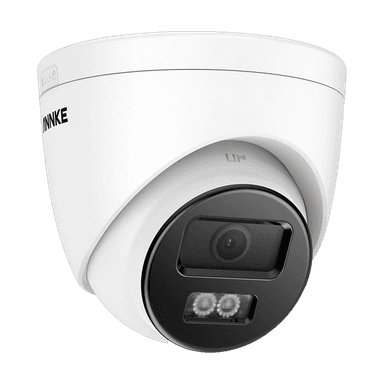
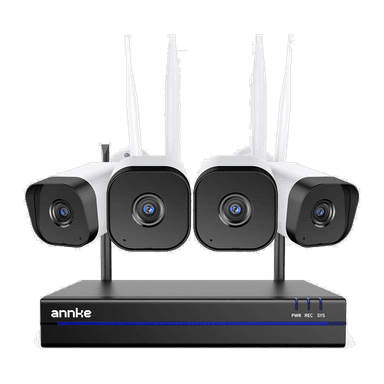
Any Annke camera or NVR with FTP/FTPS capability works out of the box. Whether you have a turret, bullet, PTZ dome, or an 8/16-channel NVR, if your Annke web interface has an FTP settings page, you can stream directly to your private cloud storage with zero extra hardware.
Select Your Annke Model
Choose your specific camera model or NVR to view verified step-by-step setup guides, firmware field mappings, and storage sizing:
Supported Cloud Storage Destinations
Stream Annke clips straight to your own cloud buckets with zero vendor lock-in:


Annke Cloud Storage Calculator
Estimate storage consumption, monthly bandwidth, required internet uplink, and cloud bucket costs for your Annke camera fleet.
Fleet Configuration Parameters
Adjust resolution, camera count, activity level, and retention window
Standard 1920×1080 HD stream (~1.2 Mbps)
High definition 2560×1440 or 5MP (~2.5 Mbps)
Flagship 3840×2160 8MP stream (~5.5 Mbps)
Panoramic / multi-sensor high resolution (~8.0 Mbps)
Warehouses, storage rooms, rarely used areas
Offices, shops, entrances
Car parks, streets, busy retail


4× 1080p Full HD (2MP)
 Rilavek Ingest (Free Plan):$0.00/moCloudflare R2 Storage (8.8 GB):$0.00/moCloudflare R2 API Operations (6,000 PUTs):$0.00/mo





Frequently Asked Questions about Annke Cloud Storage
Do Annke cameras require an on-premises NVR to stream to cloud storage?
No. Annke IP cameras with FTP client capabilities stream directly over your network to Rilavek without requiring on-site recording servers or proprietary bridge hardware. You can eliminate NVRs entirely or use Rilavek in parallel as an offsite backup.
How do I enter Rilavek credentials into my Annke camera?
Log in to your Annke camera's web configuration portal, locate the Network > FTP (or Advanced > FTP) settings page, and input ftp.rilavek.com, port 21, and the credentials generated for your camera sender in Rilavek.
Does this support motion detection clips or 24/7 continuous recording?
Both modes are supported depending on your firmware. Most users configure motion detection or AI event triggers to conserve bandwidth and storage, but cameras set to continuous recording with file split intervals (e.g. 2 to 5 minutes) stream seamlessly 24/7.
Which cloud storage destinations can I use with Annke?
Any S3-compatible cloud storage destination works out of the box, including Cloudflare R2, Backblaze B2, AWS S3, Wasabi, Google Cloud Storage, and self-hosted MinIO or RustFS instances.
Is video footage encrypted in transit?
Yes. Cameras supporting FTPS upload encrypted video over TLS. Rilavek processes data through an in-memory buffer directly into multipart S3 PUT requests with zero data retained on intermediate servers.
Stream Annke surveillance to your cloud storage today.
Zero NVR hardware required. No proprietary vendor lock-in. Connect your Annke cameras via native FTP and store encrypted recordings in your private S3 bucket.
Free plan includes 10GB of transfer. No credit card required.