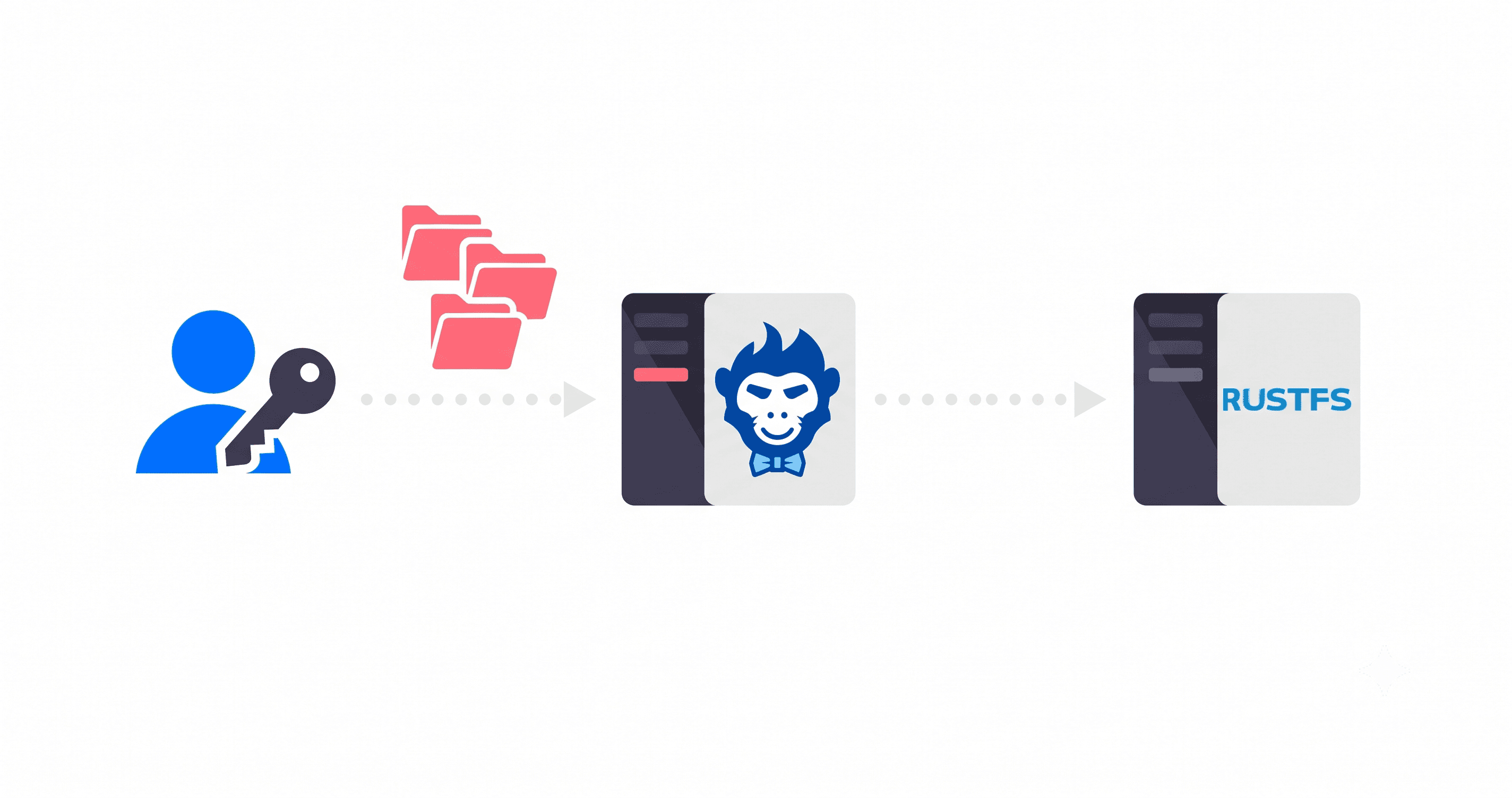
If you've already read the React and Next.js guide, you know the pitch: TUS protocol, Rilavek as your endpoint, files stream straight to S3 without a server in the middle. Good. Skip that intro.
This one's for everyone else. Vue, Svelte, and Alpine developers aren't second-class citizens, but the React-centric internet treats them that way. Copy-pasting a useEffect hook into a Vue component doesn't work. It just doesn't. Svelte 5's rune system is a genuine rethink of reactivity, not a cosmetic rename, and Alpine.js users shouldn't have to haul in @uppy/core and its handful of transitive dependencies just to get a progress indicator on screen. You're not building a dashboard. You just want a file to land in a bucket without blowing up when the wifi cuts out.
Each section below stands on its own. Find your framework, grab the code, and get out.
Vue 3 Composition API
Here's the mental model that makes this click: TUS upload state lives outside Vue's reactivity system. The upload object is just a plain JavaScript object. What you're doing is hooking into its callbacks and writing values into refs from there. Vue picks up those changes and re-renders. That's it.
Install the library
npm install tus-js-client
Get a sender token
Your backend generates a short-lived tmp_ token using your private sender key. During local development, a quick curl does the job:
curl -X POST https://rilavek.com/api/v1/tokens \
  -H "Authorization: Bearer sk_YOUR_PRIVATE_SENDER_TOKEN" \
  -H "Content-Type: application/json" \
  -d '{"pipeId": "YOUR_PIPE_ID"}'
The response hands back {"token": "tmp_..."}. That tmp_ token goes to the frontend. Your sk_ key never travels past your server.
The Vue 3 component
<script setup>
import { ref, onUnmounted } from 'vue'
import * as tus from 'tus-js-client'

const props = defineProps({
  pipeId: { type: String, required: true },
  uploadToken: { type: String, required: true },
})

const selectedFile  = ref(null)
const progress      = ref(0)
const status        = ref('idle') // 'idle' | 'uploading' | 'success' | 'error'
const errorMessage  = ref('')

let currentUpload = null

function onFileChange(event) {
  selectedFile.value = event.target.files[0] ?? null
  progress.value     = 0
  status.value       = 'idle'
}

function startUpload() {
  const file = selectedFile.value
  if (!file) return

  status.value   = 'uploading'
  progress.value = 0

  currentUpload = new tus.Upload(file, {
    endpoint: `https://upload.rilavek.com/pipes/${props.pipeId}/files/`,
    retryDelays: [0, 1000, 3000, 5000],
    headers: {
      Authorization: `Bearer ${props.uploadToken}`,
    },
    metadata: {
      filename: file.name,
      filetype: file.type,
    },
    onProgress(bytesUploaded, bytesTotal) {
      progress.value = Math.round((bytesUploaded / bytesTotal) * 100)
    },
    onSuccess() {
      status.value   = 'success'
      progress.value = 100
    },
    onError(error) {
      status.value      = 'error'
      errorMessage.value = error.message
      console.error('TUS upload failed:', error)
    },
  })

  // Resume an interrupted upload from localStorage if one exists
  currentUpload.findPreviousUploads().then((previousUploads) => {
    if (previousUploads.length > 0) {
      currentUpload.resumeFromPreviousUpload(previousUploads[0])
    }
    currentUpload.start()
  })
}

function abortUpload() {
  currentUpload?.abort()
  status.value = 'idle'
}

// Clean up if the component is torn down mid-upload
onUnmounted(() => {
  currentUpload?.abort()
})
</script>

<template>
  <div class="uploader">
    <input
      type="file"
      :disabled="status === 'uploading'"
      @change="onFileChange"
    />

    <div v-if="selectedFile" class="file-info">
      <span>{{ selectedFile.name }}</span>
      <span class="size">{{ (selectedFile.size / 1024 / 1024).toFixed(2) }} MB</span>
    </div>

    <div v-if="status === 'uploading'" class="progress-track">
      <div class="progress-fill" :style="{ width: progress + '%' }" />
    </div>

    <p v-if="status === 'uploading'" class="progress-label">
      {{ progress }}% uploaded
    </p>
    <p v-if="status === 'success'" class="success-label">✓ Upload complete</p>
    <p v-if="status === 'error'" class="error-label">✗ {{ errorMessage }}</p>

    <div class="actions">
      <button
        v-if="status !== 'uploading'"
        :disabled="!selectedFile"
        @click="startUpload"
      >
        Upload
      </button>
      <button v-else @click="abortUpload">Cancel</button>
    </div>
  </div>
</template>
A few things worth pausing on:
findPreviousUploads() is where the real resume magic happens. tus-js-client quietly serialises upload state to localStorage as it goes. So if a user's laptop dies at 70%, comes back up the next morning, and hits the upload button again, calling findPreviousUploads() before start() picks up exactly where things left off. No custom persistence layer. No clever caching. It just works.
Don't forget onUnmounted. In a Vue SPA, navigating away from a route doesn't kill background tasks automatically. If you skip the cleanup, that TUS connection keeps running silently. Aborting it in onUnmounted is two lines of code and it saves you a lot of confusion.
The uploadToken prop should be short-lived on purpose. Your server mints a fresh tmp_ token per session. It's scoped to a single pipe. If someone intercepts it, the worst case is one rogue upload. That's a very contained blast radius compared to leaking your actual API key.
Svelte 5 (Rune-Based)
The upload logic here is identical to the Vue version. What changes is Svelte 5's reactivity model. Runes ($state, $props, $derived) replace the old let + $: pattern, and they're not just syntax sugar. They're a proper signals-based rethink.
Install the library
npm install tus-js-client
The Svelte 5 component
<script>
  import * as tus from 'tus-js-client'

  // Props (Svelte 5 $props rune)
  let { pipeId, uploadToken } = $props()

  // Reactive state via $state rune
  let selectedFile  = $state(null)
  let progress      = $state(0)
  let status        = $state('idle') // 'idle' | 'uploading' | 'success' | 'error'
  let errorMessage  = $state('')

  let currentUpload = null

  function onFileChange(event) {
    selectedFile = event.target.files[0] ?? null
    progress     = 0
    status       = 'idle'
  }

  async function startUpload() {
    if (!selectedFile) return

    status   = 'uploading'
    progress = 0

    currentUpload = new tus.Upload(selectedFile, {
      endpoint: `https://upload.rilavek.com/pipes/${pipeId}/files/`,
      retryDelays: [0, 1000, 3000, 5000],
      headers: {
        Authorization: `Bearer ${uploadToken}`,
      },
      metadata: {
        filename: selectedFile.name,
        filetype: selectedFile.type,
      },
      onProgress(bytesUploaded, bytesTotal) {
        // Writing to a $state variable from a TUS callback triggers a re-render
        progress = Math.round((bytesUploaded / bytesTotal) * 100)
      },
      onSuccess() {
        status   = 'success'
        progress = 100
      },
      onError(error) {
        status       = 'error'
        errorMessage = error.message
      },
    })

    const previousUploads = await currentUpload.findPreviousUploads()
    if (previousUploads.length > 0) {
      currentUpload.resumeFromPreviousUpload(previousUploads[0])
    }
    currentUpload.start()
  }

  function abortUpload() {
    currentUpload?.abort()
    status = 'idle'
  }
</script>

<div class="uploader">
  <input
    type="file"
    disabled={status === 'uploading'}
    onchange={onFileChange}
  />

  {#if selectedFile}
    <div class="file-info">
      <span>{selectedFile.name}</span>
      <span class="size">{(selectedFile.size / 1024 / 1024).toFixed(2)} MB</span>
    </div>
  {/if}

  {#if status === 'uploading'}
    <div class="progress-track">
      <div class="progress-fill" style="width: {progress}%"></div>
    </div>
    <p class="progress-label">{progress}% uploaded</p>
  {/if}

  {#if status === 'success'}
    <p class="success-label">✓ Upload complete</p>
  {/if}

  {#if status === 'error'}
    <p class="error-label">✗ {errorMessage}</p>
  {/if}

  <div class="actions">
    {#if status !== 'uploading'}
      <button disabled={!selectedFile} onclick={startUpload}>Upload</button>
    {:else}
      <button onclick={abortUpload}>Cancel</button>
    {/if}
  </div>
</div>
Two Svelte 5 specifics that'll bite you if you're coming from Svelte 4:
Why $state instead of a plain let? $state(0) creates an explicit reactive cell. Writing progress = 42 from inside a TUS callback synchronously queues a DOM update. If you just declare let progress = 0 without the rune, Svelte 5 won't track mutations triggered from outside its component boundary. TUS callbacks are exactly that: external. You need the rune.
onchange and onclick, not on:change and on:click. This tripped up nearly everyone migrating from Svelte 4. The directive syntax is gone. It's native DOM event attribute syntax now. Your code editor might not flag it as wrong, which makes it worse to debug.
Bonus: Alpine.js 1-Pager
Alpine.js doesn't get nearly enough credit. It's genuinely the right tool for server-rendered apps, admin dashboards bolted onto a Rails or Laravel backend, or any situation where installing a build pipeline just to wire up a file input feels disproportionate.
No build step here. No npm install. Two CDN scripts and you're done.
<!doctype html>
<html lang="en">
<head>
  <meta charset="UTF-8" />
  <meta name="viewport" content="width=device-width, initial-scale=1.0" />
  <title>TUS Upload – Alpine.js</title>
  <!-- Alpine.js from CDN -->
  <script defer src="https://cdn.jsdelivr.net/npm/[email protected]/dist/cdn.min.js"></script>
  <!-- tus-js-client from CDN (UMD build) -->
  <script src="https://cdn.jsdelivr.net/npm/tus-js-client@latest/dist/tus.js"></script>
</head>
<body>

<div
  x-data="{
    pipeId:      'YOUR_PIPE_ID',
    uploadToken: 'YOUR_TMP_TOKEN',
    file:        null,
    progress:    0,
    status:      'idle',
    errorMsg:    '',
    upload:      null,

    onFileChange(event) {
      this.file     = event.target.files[0] ?? null
      this.progress = 0
      this.status   = 'idle'
    },

    async startUpload() {
      if (!this.file) return
      this.status   = 'uploading'
      this.progress = 0

      const self = this
      this.upload = new tus.Upload(this.file, {
        endpoint:    \`https://upload.rilavek.com/pipes/\${this.pipeId}/files/\`,
        retryDelays: [0, 1000, 3000, 5000],
        headers:     { Authorization: \`Bearer \${this.uploadToken}\` },
        metadata:    { filename: this.file.name, filetype: this.file.type },
        onProgress(bytesUploaded, bytesTotal) {
          self.progress = Math.round((bytesUploaded / bytesTotal) * 100)
        },
        onSuccess() { self.status = 'success'; self.progress = 100 },
        onError(err) { self.status = 'error'; self.errorMsg = err.message },
      })

      const prev = await this.upload.findPreviousUploads()
      if (prev.length > 0) this.upload.resumeFromPreviousUpload(prev[0])
      this.upload.start()
    },

    abortUpload() {
      this.upload?.abort()
      this.status = 'idle'
    }
  }"
>
  <input type="file" :disabled="status === 'uploading'" @change="onFileChange" />

  <template x-if="file">
    <p x-text="`${file.name} (${(file.size / 1024 / 1024).toFixed(2)} MB)`"></p>
  </template>

  <template x-if="status === 'uploading'">
    <div>
      <div style="background:#e5e7eb;border-radius:4px;height:8px;width:100%">
        <div
          :style="`width:${progress}%;background:#6366f1;height:8px;border-radius:4px;transition:width .2s`"
        ></div>
      </div>
      <p x-text="`${progress}% uploaded`"></p>
    </div>
  </template>

  <p x-show="status === 'success'">✓ Upload complete</p>
  <p x-show="status === 'error'"   x-text="'✗ ' + errorMsg"></p>

  <button x-show="status !== 'uploading'" :disabled="!file" @click="startUpload">
    Upload
  </button>
  <button x-show="status === 'uploading'" @click="abortUpload">Cancel</button>
</div>

</body>
</html>
Note on
x-datastring templates: Alpine evaluates thex-dataattribute as a JavaScript expression. Backtick strings andasyncfunctions both work inside it. If your linter objects to the inline string, pull the object out into adocument.addEventListener('alpine:init', ...)call instead. Alpine documents this pattern asAlpine.data('uploader', () => ({ ... })).
The one thing that confuses people here is self = this. TUS callbacks execute in their own scope, so this inside onProgress isn't your Alpine component. Capturing self before you enter the constructor is the fix. It's the same pattern you'd use with any plain JS object that accepts callbacks.
What the Webhook Looks Like
Once any of these uploads finish, Rilavek posts to whatever endpoint you've wired up in your Pipe's webhook settings. Here's what actually arrives:
{
  "event": "file.status_changed",
  "timestamp": "2026-06-17T11:58:04.312Z",
  "data": {
    "pipe_id": "YOUR_PIPE_ID",
    "file_id": "f5e6d7c8-b9a0-4123-8d2e-1234567890ab",
    "filename": "product-demo.mp4",
    "status": "transferred",
    "size": 148926374,
    "sender": "frontend-uploader",
    "protocol": "tus",
    "destinations": [
      {
        "destinationId": "d3c2b1a0-e9f8-4123-8d2e-0987654321fe",
        "status": "transferred"
      }
    ]
  }
}
protocol will always be "tus" for these browser uploads. The sender value maps to whatever you named the Sender in your dashboard, which is handy if you're running multiple environments or per-tenant senders.
One thing you shouldn't skip: every request from Rilavek carries an X-Rilavek-Signature HMAC-SHA256 header. Verify it. The webhook docs show the implementation in Node and Python, and it's about ten lines of code. If you're running a Vue or Svelte app with an Express or Fastify backend sitting alongside it, skipping signature checks means anyone who guesses your URL can fire your downstream logic. Not worth it.
If you're just getting started, point the webhook at webhook.site first. It gives you a live URL and shows you the exact payload in real time. Much easier than tailing server logs to debug your first integration.
A Quick Framework Comparison
| Vue 3 | Svelte 5 | Alpine.js | |
|---|---|---|---|
| Reactivity model | ref / reactive | $state runes | x-data object properties |
| Build step required | Yes | Yes | No |
| Bundle weight | ~40 KB (runtime) | ~10 KB (compiled) | ~15 KB CDN |
| TUS state management | onUnmounted cleanup | Manual abort | abortUpload() method |
| Best for | Vite SPAs, Nuxt | SvelteKit, lightweight SPAs | SSR templates, Laravel Blade |
The TUS protocol is identical across all three. What changes is the thin reactive wrapper you put around it. Pick whichever fits your stack and ignore the rest.
Try It on the Free Tier
The free tier gives you 10GB of transfer per month, no card required, and unlimited Pipes. That's more than enough to build the feature, put it in front of real users, and decide whether you need more headroom.
Create your free Pipe here and have one of these components talking to a live TUS endpoint in under five minutes.
Technical Reference & Next Steps
- HTTP (TUS) Source Docs: Full endpoint specs, header requirements, and token format.
- Sender Tokens: How to mint short-lived
tmp_tokens from your backend. - Webhook Docs: Payload structure, HMAC signature verification, and duplicate-event handling.
- React / Next.js guide: The companion guide for React developers, covering Uppy and
@uppy/golden-retrieverfor cross-tab resume. - Resumable Uploads Deep Dive: Why TUS beats raw S3 multipart at scale.
Enjoyed this guide?
Share it with your network to help others scale their data pipelines.